ADA compliance for school libraries covers two distinct dimensions: the physical space students move through and the digital resources they access. Both carry legal obligations, and gaps in either can expose your district to complaints, loss of federal funding, and — most importantly — real exclusion of students with disabilities. This guide covers both dimensions with specific standards, deadlines, and practical steps.
Key Takeaways
- Public school libraries fall under ADA Title II as state/local government services — compliance is mandatory, not optional.
- The 2024 DOJ rule requires library websites, catalogs, and digital resources to meet WCAG 2.1 AA standards by April 2027 or April 2028 — the deadline depends on district population size.
- Physical requirements include 36-inch minimum aisle widths, circulation desks no higher than 36 inches, 27-inch knee clearance under accessible tables, and compliant routes throughout.
- Non-compliance risks OCR complaints, loss of federal funding, and exclusion of students with disabilities from library services.
- Automated web accessibility tools catch only about 57% of issues — manual review and assistive technology testing are required.
Key ADA Laws That Apply to School Libraries
School libraries operate under three overlapping federal laws — and understanding each one helps clarify exactly what compliance requires.
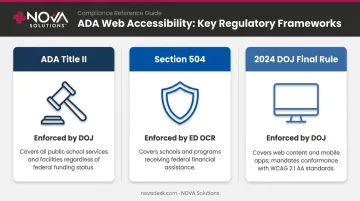
ADA Title II (42 U.S.C. 12131–12134, implemented at 28 CFR Part 35) prohibits disability discrimination across all services, programs, and activities of state and local government entities. Public school districts are explicitly covered, which means the library — as a district service — falls squarely under Title II. Private schools aren't covered by Title II, though many qualify under Title III as places of public accommodation.
Section 504 of the Rehabilitation Act (29 U.S.C. 794) runs parallel to Title II for any school receiving federal financial assistance — which covers virtually every public school district. The U.S. Department of Education's Office for Civil Rights (OCR) enforces Section 504. According to the ED OCR's FY 2024 Annual Report, 8,457 disability-related complaints were filed in FY 2024 out of 22,687 total — 37% of all complaints. That figure makes disability access OCR's single largest enforcement category, and school libraries are a frequent focal point.
The 2024 DOJ Final Rule (published April 24, 2024, at 89 FR 31320) added Subpart H to 28 CFR Part 35, extending Title II requirements to web content and mobile apps. For school libraries, this means digital catalogs, online databases, and patron-facing portals all carry compliance obligations. It was also the first time WCAG 2.1 Level AA was written directly into Title II regulations as an enforceable standard. Compliance deadlines were subsequently extended by the 2026 Interim Final Rule (91 FR 20902) — covered in the timeline below.
Here's a quick reference for how the three laws divide responsibility:
| Law | Enforced By | Covers |
|---|---|---|
| ADA Title II | DOJ | All public school services and facilities |
| Section 504 | ED OCR | Schools receiving federal funding |
| 2024 DOJ Final Rule | DOJ | Web content and mobile apps (WCAG 2.1 AA) |
Physical Space Requirements for ADA-Compliant School Libraries
The 2010 ADA Standards for Accessible Design set precise dimensional benchmarks. Here's how they apply room by room.
Entrances and Routes
Every accessible entrance must meet these minimums:
- Door clear opening width: 32 inches minimum (measured with the door open 90 degrees)
- Accessible route width: 36 inches minimum throughout the library, including between stacks
- Ramp slope: No steeper than 1:12 for any level change greater than ½ inch
- Flooring: Must be stable, firm, and slip-resistant under ADA Standards Section 302.1
Any route that fails these dimensions — whether due to shelving placement, furniture arrangement, or a ramp that's too steep — is a barrier that blocks access entirely, not just an inconvenience.
Aisle and Shelving Layout
Aisles between bookshelves must be at least 36 inches wide to accommodate wheelchair users. The ADA's reach range standard sets controls and accessible elements between 15 and 48 inches from the floor.
For library shelving, this creates a practical obligation:
- Shelves above 48 inches are legally accessible only with documented staff assistance policies
- A shelf at 72 inches isn't an automatic violation — but the assistance policy must be real, not theoretical
- Staff must be trained to retrieve materials promptly when requested
- Policies should be posted or communicated so patrons know how to ask
Circulation Desk
At least one section of the circulation desk must be no higher than 36 inches. Under ADA Standards Section 904.4, a parallel approach requires a minimum 36-inch-long counter section at that height; a forward approach requires 30 inches of width plus knee and toe clearance underneath.
Counter height alone doesn't complete compliance. Staff must also be trained to actively assist patrons — helping them locate materials, navigate catalog terminals, and access services they can't reach independently.
Study and Seating Areas
Accessible tables must meet the knee and toe clearance profile defined in ADA Standards Section 306:
| Clearance Type | Requirement |
|---|---|
| Knee clearance height | 27 inches minimum above floor |
| Knee clearance width | 30 inches minimum |
| Knee depth at 9 inches above floor | 11 inches minimum |
| Toe clearance space | Floor to 9 inches above floor, 17–25 inches deep |
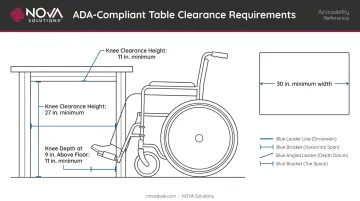
Fixed, non-adjustable seating alone is insufficient. At least a portion of study seating must meet these standards, and workstations must provide enough room for a wheelchair user to pull fully under the surface.
Signage and Emergency Systems
- Post the International Symbol of Accessibility at key decision points per Section 703 requirements
- Install permanently wired audible and visible alarms compliant with NFPA 72 (Section 702.1)
- Maintain adequate illumination along all accessible routes and at every workstation
ADA-Compliant Furniture and Technology Workstations in School Libraries
Physical dimensions matter most at the furniture level — this is where many libraries fail even when the broader space is accessible.
What Compliant Workstations Actually Require
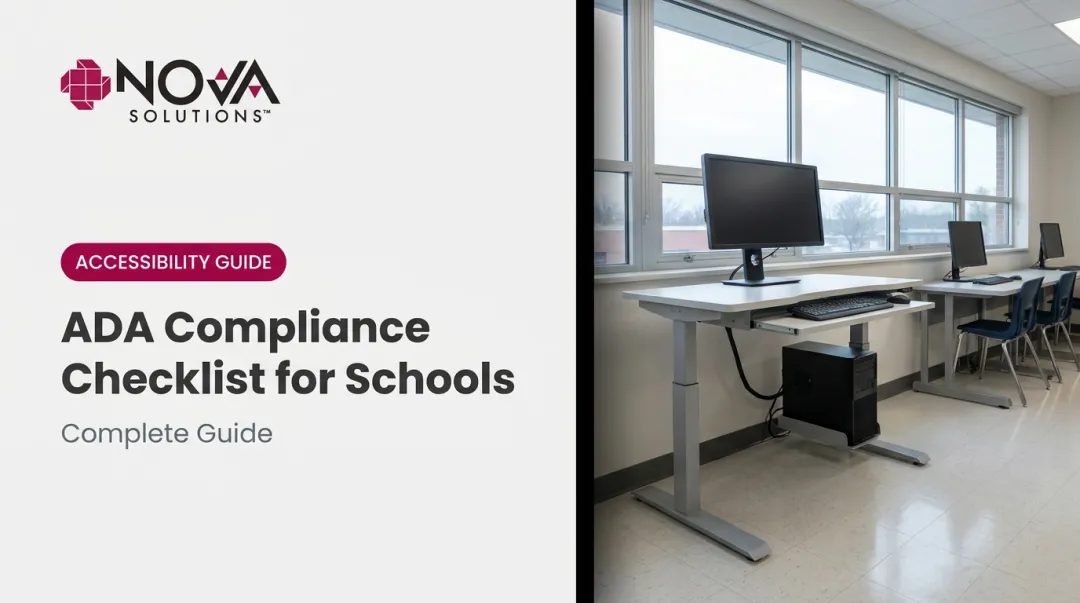
At minimum, one computer station must be accessible. Best practice calls for multiple compliant stations throughout the space. An accessible workstation needs:
- Adjustable or compliant surface height (the fixed 36-inch desk often used for general workstations is too high for wheelchair users)
- Knee clearance meeting the Section 306 profile described above
- Compatibility with assistive technology — screen magnifiers, alternative keyboards, and speech recognition software all require stable, correctly positioned surfaces
Fixed-height furniture creates the most common compliance risk. A desk that's too high or too low, with no option to adjust, may exclude users entirely.
Adjustable-Height Desks as the Practical Solution
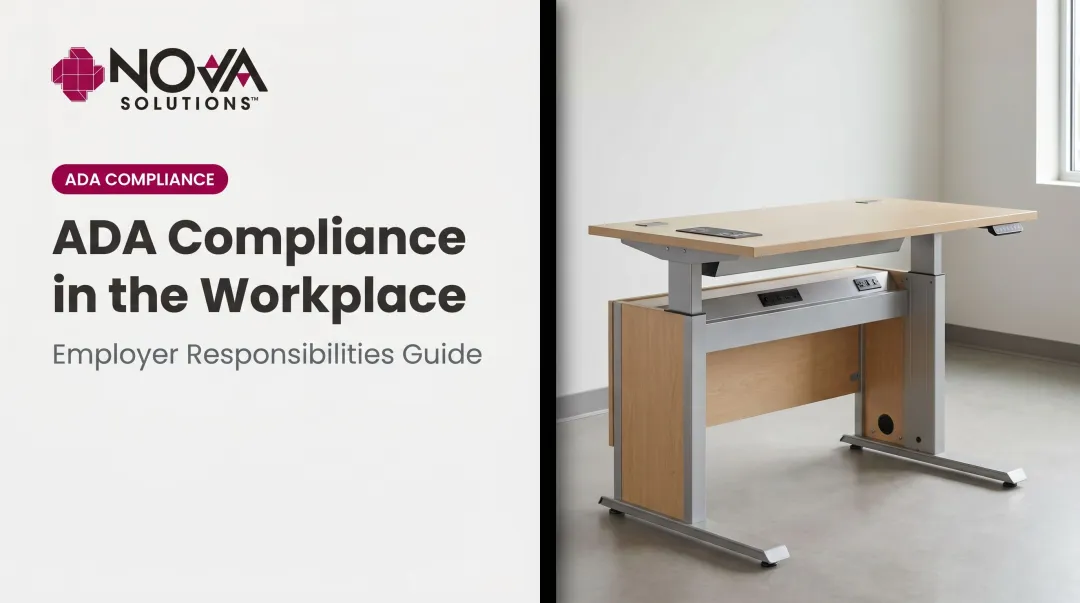
Height-adjustable sit/stand desks solve the fixed-height problem by serving users across a wide range of mobility needs without requiring separate "accessible-only" furniture. One desk that adjusts from 30 to 42 inches can serve a standing staff member, a seated student in a standard chair, and a wheelchair user — all without labeling any station as the "disabled desk."
NOVA Solutions manufactures ADA-compliant, adjustable-height technology workstations and computer desks built for educational environments. Their Computer Training Desks are available in a 32-inch ADA Height Compliant configuration with documented knee clearance (11-inch minimum depth at 9 inches above the floor) and toe clearance (17–25 inches deep) that meets Section 306 requirements. Their electric sit/stand Pedestal Desks adjust from 30 to 42 inches with a 550-lb weight capacity, accommodating heavy monitor and equipment loads.
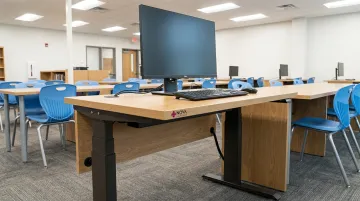
For public school districts subject to government purchasing requirements, NOVA's GSA contract (GS-28F-005GA, valid through February 2027) simplifies procurement:
- Priced at 61.71% off list price — no separate bidding process required
- Reference the contract number on the purchase order and proceed
- Products ship fully assembled, ready to use on delivery day
How Wire Management Connects to ADA Compliance
Floor-level cable clutter is an ADA issue, not just a housekeeping one. Cables running across accessible routes create trip hazards and obstruct the clear 36-inch path width required by the standards.
NOVA's iMod™ integrated wire management system routes cables through a dedicated compartment on the back of each unit, keeping them completely off the floor. Each station includes a multi-plug power strip and wire management channel, with a removable modesty panel (laminate or perforated metal) for IT access. Accessible routes stay clear without any additional floor management effort.
Evaluating Any Furniture Purchase for ADA Compliance
Before purchasing, verify these four things from the manufacturer's documentation:
- Knee clearance dimensions — minimum 27 inches high, 30 inches wide, with correct depth profile
- Toe clearance dimensions — 17–25 inches deep at floor to 9-inch height
- Surface height — fixed at a compliant height or adjustable to accommodate various users
- Stability — surfaces should not shift when a wheelchair user transfers weight or positions equipment
Digital Accessibility Requirements for School Libraries Under the 2024 DOJ Rule
Most school libraries have addressed ramps, door widths, and accessible shelving. Digital accessibility is where compliance gaps are more likely to surface — and where the 2024 DOJ rule adds new, specific obligations.
What "Web Content" Covers
The 2024 rule's scope is broader than many library directors expect. Covered content includes:
- Library websites and navigation
- Online catalog (OPAC) pages
- Licensed databases and e-resource portals
- LibGuides, event calendars, and online forms
- PDFs, Word documents, presentations, and spreadsheets
- Mobile apps used by students
- Any content a vendor hosts on the library's behalf
A vendor platform or login requirement does not remove the obligation — if the library makes it available to students, the library owns the accessibility responsibility.
WebAIM's 2026 Million report found that 95.9% of tested home pages had detectable WCAG 2 failures — which suggests most library websites have accessibility gaps waiting to be found.
Current Compliance Deadlines
The original 2024 rule set April 2026 and April 2027 deadlines. The DOJ's 2026 Interim Final Rule (91 FR 20902, effective April 20, 2026) extended both by one year:
| District Population | Current Compliance Deadline |
|---|---|
| 50,000 or more | April 26, 2027 |
| Under 50,000 / special districts | April 26, 2028 |
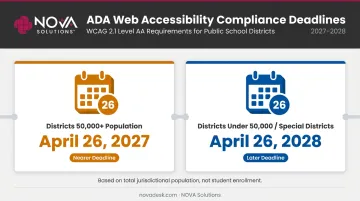
The rule calculates population using the total jurisdictional population of the school district — not student enrollment. Districts near the 50,000 threshold should confirm their regulatory category before setting internal deadlines.
These deadlines apply to web content and mobile apps — they don't pause compliance obligations for physical spaces, which remain governed by existing ADA standards.
Exceptions: Narrow and Formally Documented
Two exceptions exist — fundamental alteration and undue burden — but neither is a blanket escape from compliance. Both require:
- A formal written statement of reasons
- Approval by the head of the entity (not an IT decision or informal judgment)
- Maximum alternative access still provided to individuals with disabilities
Both exceptions require superintendent- or board-level sign-off and written documentation kept on file. They are legal decisions, not IT department calls.
How to Build an ADA Compliance Plan for Your School Library
Conduct a Physical Accessibility Audit
The ADA Checklist for Existing Facilities from the New England ADA Center provides a systematic framework for evaluating entrances, routes, aisles, seating, desks, restrooms, and emergency exits. Walk through the library with a measuring tape and document:
- Every aisle width (flag anything under 36 inches)
- Circulation desk height at multiple points
- Workstation knee and toe clearance measurements
- Door widths at each entrance
- Location and type of emergency alarm devices
Photograph every gap. These measurements and photos become your baseline remediation plan and your legal protection if full compliance takes time.
Assess Digital and Web Accessibility
Run the library website, online catalog, and digital platforms through automated tools such as WAVE, axe DevTools, or Chrome Lighthouse. But don't stop there: Deque's research found automated testing identifies only about 57% of digital accessibility issues. Manual review and testing with actual screen readers and keyboard navigation are required for genuine compliance.
Prioritize your audit scope in this order:
- The library's main website and catalog pages
- Heavily used databases and research platforms
- PDFs and guides actively linked from the homepage
- Forms and login portals
- Archived or rarely accessed documents (remediate last)
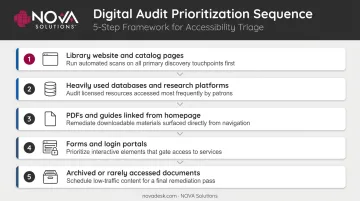
Pre-existing documents need remediation too. Prioritize them by how frequently they're accessed.
Prioritize and Document Remediation Steps
Once your audits are complete, translate findings into a written accessibility roadmap that:
- Addresses currently active services and programs first
- Sets realistic timelines for remaining content
- Documents every decision, gap, and remediation step taken
This documentation serves two purposes: it guides your team's work, and it demonstrates good-faith effort to OCR if a complaint is filed before full compliance is achieved.
When procuring new furniture or workstations, sourcing from GSA-contracted manufacturers with pre-documented ADA compliance specifications simplifies procurement verification. NOVA Solutions, for example, provides spec sheets, CAD files, and ADA compliance documentation with each product, so your procurement team spends less time chasing down specs.
Frequently Asked Questions
Are schools required to be ADA compliant?
Yes. All public schools are covered under ADA Title II as state and local government entities, regardless of federal funding status. Private schools receiving federal financial assistance are additionally covered by Section 504. Non-compliance can result in OCR complaints, corrective action agreements, and potential loss of federal funding.
How do you implement ADA compliance?
Start with a physical and digital audit to identify gaps against the 2010 ADA Standards and WCAG 2.1 AA. From there:
- Create a prioritized remediation plan with documented timelines
- Address active services and programs before physical renovations
- Build ongoing accessibility review into regular facility and technology cycles
What are the requirements for public accommodations under the ADA?
Public entities under Title II must ensure equal access through accessible physical spaces, effective communication, and — under the 2024 rule — accessible web content and digital services. The standard is equal access to programs and activities, not identical facilities.
What are ADA-compliant accommodations?
ADA-compliant accommodations fall into two categories:
- Physical features: accessible routes, compliant furniture dimensions, audible and visual alarms
- Programmatic adjustments: staff assistance policies, alternative document formats
Both ensure individuals with disabilities can access the same services as everyone else.
What are the exceptions to ADA compliance?
The fundamental alteration and undue burden exceptions both require formal written documentation approved by the head of the entity — not an informal staff decision. Even when an exception applies, the institution must still provide maximum alternative access to individuals with disabilities.