OSHA identifies exposed flexible cords as a significant workplace hazard, and in high-density training rooms where every seat has a powered device, unmanaged cabling isn't just untidy — it's a liability.
Tech-forward furniture addresses this directly. These are pieces engineered from the ground up to support technology — not just hold it. This article covers what defines tech-forward furniture, the features that matter most, how it applies across training rooms, government facilities, and educational institutions, and what ADA compliance actually requires in practice.
Key Takeaways
- Tech-forward furniture integrates wire management, height adjustability, built-in power, and display management into a single cohesive unit
- Highest-demand categories include sit-stand workstations, ADA-accessible stations, and modular training furniture
- ADA compliance and technology integration are complementary — the same adjustability that supports ergonomics also supports wheelchair accessibility
- Leading units include iMod™ integrated cable management, motorized height adjustment, per-user power access, and monitor lift or recessed display systems
- Government and education buyers should verify GSA contract availability, ADA certification, and fully assembled shipping
What Is Tech-Forward Furniture?
Tech-forward furniture is engineered to support, house, or integrate with the technology used in professional environments. Cable channels, power routing, display integration, and ADA-compliant accessibility are built in at the manufacturing stage — not added as afterthoughts.
The institutional context separates this category from consumer "smart home" products. Training desks, computer lab tables, AV lecterns, and conference furniture all serve users who depend on technology constantly, in high-density settings, often under institutional procurement and compliance requirements.
How the Category Evolved
When NOVA Solutions launched the Downview™ computer training desk in 1988, the design challenge was straightforward: classrooms were filling with computers, and standard furniture couldn't manage them. Monitors sat on desktops blocking sight lines, cables ran everywhere, and instructor-student communication suffered.
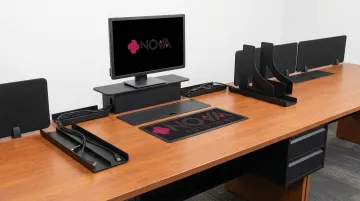
The Downview™ solved this by recessing monitors below the work surface behind tinted tempered glass — improving sight lines, reducing neck strain, and freeing desktop space. As devices multiplied over the following decades, the category shifted accordingly: furniture could no longer just hold technology. It had to manage it.
Two Categories Worth Distinguishing
| Category | What It Means | Examples |
|---|---|---|
| Furniture with built-in technology | Active tech components integrated into the piece | Monitor lifts, motorized height adjustment, integrated power strips |
| Furniture designed for technology use | Infrastructure that supports devices without containing them | Cable management channels, wire routing, device clearance, grommets |
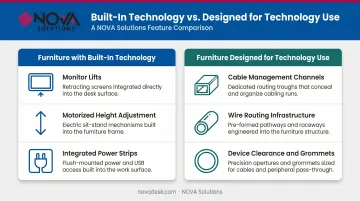
Both categories matter. A training table with a built-in power strip but no cable management still produces a tangled mess. Good tech-forward furniture addresses both.
Key Features That Define Modern Tech-Integrated Furniture
Integrated Wire and Cable Management
Cable management is the foundation — without it, every other feature creates more clutter, not less. Purpose-built systems route power and data cables through internal channels, keeping them off floors and out of sight.
NOVA Solutions' iMod™ wire management system integrates a multi-plug power strip and dedicated cable routing channel per user within a compartment on the backside of the unit. A removable modesty panel — available in laminate or perforated metal — provides IT access for upgrades or troubleshooting without disassembling the furniture. Compartments come in 12" and 22" heights to accommodate different cable volumes.
For collaboration tables, the iMod™ compartment runs down the center of the table, giving multiple users around a shared surface access to organized cable routing and power.
Height Adjustability and Sit-Stand Functionality
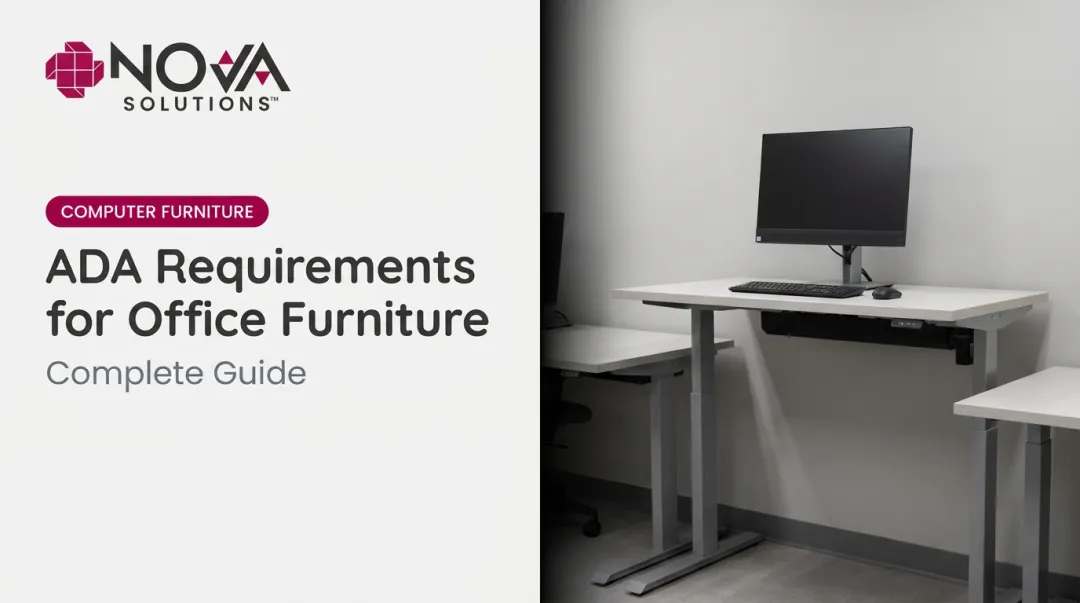
Height-adjustable furniture serves two overlapping needs: ergonomic health and ADA accessibility. A desk that adjusts to accommodate a standing user also accommodates a wheelchair user — the same mechanism solves both problems.
NOVA's sit-stand desks and lecterns use motorized adjustment via a touch switch, with a 12-inch travel range (30"–42" standard; 32"–44" for the Prestige Sit/Stand AV Lectern). Lift capacity reaches 550 lbs, handling full AV equipment loads.
In multi-user environments, motorized adjustment matters more than manual. When dozens of users cycle through stations daily, the difference between pushing a button and cranking a handle determines whether accessibility features actually get used.
Built-In Power Access
Those same multi-user environments demand reliable power at every seat. Routing power through the furniture — rather than running extension cords across floors — eliminates tripping hazards and keeps desktops clean.
NOVA's product lines include several options:
- iMod™ multi-plug power strips per user, built into the cable management compartment
- Pop-up power centers with outlets and USB charging, flush-mounted into work surfaces
- Round flush power/USB charging centers for surface-mounted access
- Worksurface grommets for cable pass-through
All power options are specified at order time and built into the furniture during manufacturing.
Monitor Integration and Display Management
Two distinct approaches exist for monitor placement in training furniture:
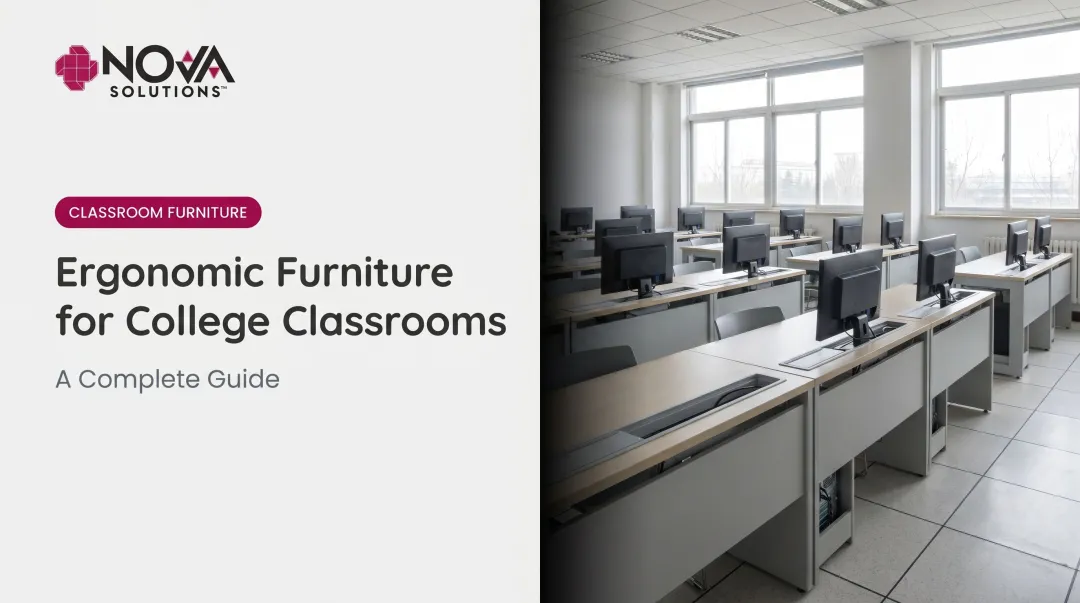
Recessed display (Downview™): The monitor sits below the desktop surface, viewed through a tinted tempered glass viewport. Viewport sizes range from 16"×21" up to 21"×24" depending on desk depth, supporting most VESA-mountable monitors up to 24". This design preserves sight lines between instructor and students and eliminates monitor-height obstructions entirely.
Monitor lift (Trolley™): A motorized lift conceals the monitor below the desktop when not in use, raising it to viewing height with push-button activation. An automatic access door opens and closes with the lift. The optional NOVALinked™ networking system allows instructors to raise or lower all monitors in the room simultaneously from one location — a meaningful classroom management tool.
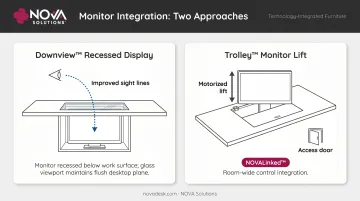
Texas State University implemented Computer Training Tables with the Trolley™ E Monitor Lift and NOVALinked™ to save student desktop space and give instructors a direct line of sight across the room.
Tech-Forward Furniture Across Institutional Settings
Training Rooms and Computer Labs
High-density technology environments place the most demanding requirements on furniture. Every station needs:
- Surface space for monitor, keyboard, and peripherals
- Per-user power and data cable management
- ADA-accessible stations distributed through the layout
- Materials durable enough for heavy daily use
NOVA's computer training tables are available in single or double-user configurations, with work surface heights of 30" (standard) or 32" (ADA-compliant), and laminate surfaces in ten color options with 2mm PVC edge banding. Documented installations include the College of Staten Island, the City of Baton Rouge, and numerous universities and government training centers.
Government and Corporate Facilities
Government buyers operate under procurement requirements that add complexity beyond product specs. Arriving fully assembled eliminates on-site labor, reduces installation time, and ensures structural integrity is never compromised during setup — a detail that matters when facilities can't afford extended downtime.
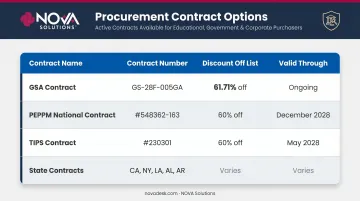
NOVA Solutions holds GSA Contract GS-28F-005GA covering office furniture (SIN 33721), with pricing at 61.71% off list. Additional cooperative purchasing options include:
- PEPPM National Contract (#548362-163): 60% off list, valid through December 2028
- TIPS Contract (#230301): 60% off list, valid through May 2028
- State contracts in California, New York, Louisiana, Alabama, and Arkansas
Educational Institutions
K-12 and higher education environments layer BYOD complexity on top of standard accessibility requirements — students arrive with laptops, tablets, and phones that all need power.
NOVA's Boat Shaped and Round Collaboration Tables include a "No CPU Option available for BYOD & AIO monitors," configuring the furniture for personal devices. Study carrels include rectangular grommets for cable management and are designed to accommodate laptops and tablets. The iMod™ system's per-user power strip handles device charging regardless of device.
Conference and Presentation Spaces
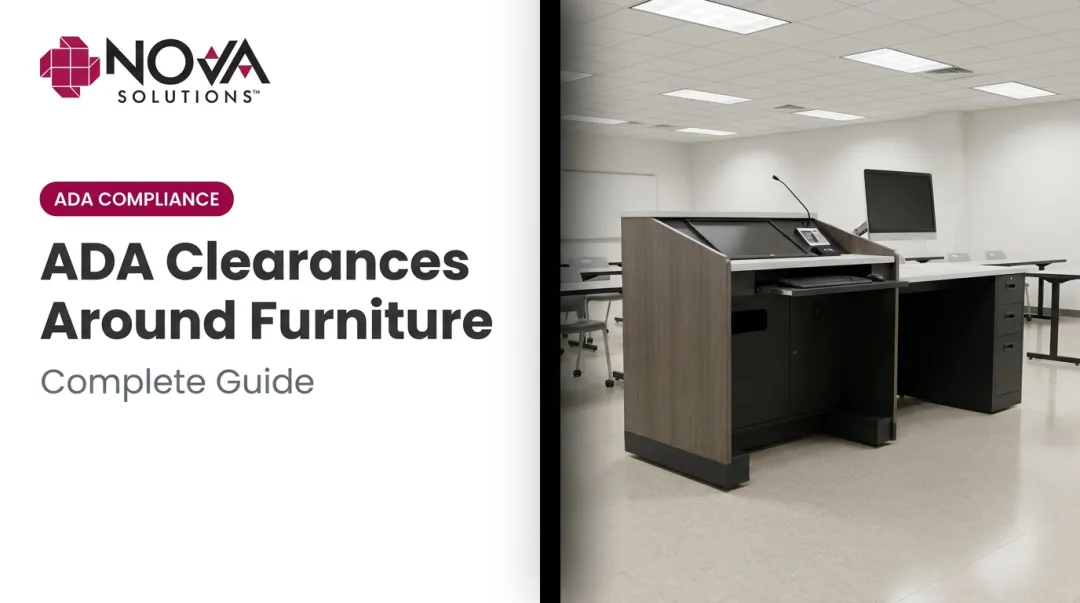
Presentation furniture — lecterns, instructor stations — needs to support AV equipment, laptop connectivity, and speaker systems while accommodating presenters of different heights and abilities. NOVA's seated, standing, and sit-stand AV lecterns all include:
- 12–14 RU rack rail storage for AV equipment
- iMod™ wire management with integrated power
- Optional Trolley™ or Downview™ monitor integration
The Prestige Sit/Stand AV Lectern uses a fixed-base design where only the work surface and privacy sides adjust. AV equipment stays stationary during height changes, so multi-presenter setups don't require reconfiguration between speakers.
Why ADA Compliance and Technology Integration Go Hand in Hand
ADA compliance for furniture isn't a separate checklist. The ADA Standards for Accessible Design govern work surface heights, knee clearance, and reach zones — the same dimensions that define good ergonomic and technology-supportive design.
Specific dimensional requirements:
- Adjustable work surface height of 28–34 inches accommodates both seated users and wheelchair users
- Knee clearance of at least 27" high, 30" wide, and 19" deep — the same spec required for a properly configured computer workstation
- Toe clearance from the finished floor to 9" above, minimum 17" deep
NOVA's ADA-compliant desk configurations are available at 32" fixed height, and sit-stand models adjust from 30" to 42" — covering the full ADA-required range. Knee and toe clearance specs in NOVA's ADA products match the standards above.
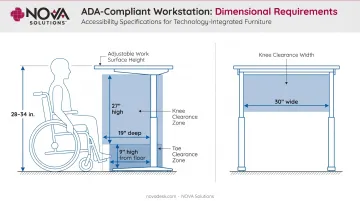
For educational institutions and government agencies, this compliance is a legal requirement. ADA Title II and Section 508 of the Rehabilitation Act mandate accessible workstations in public settings — and buying ADA-compliant furniture upfront is far cheaper than retrofitting after an audit or complaint.
The scale of that obligation is real: NCES data shows roughly 15% of public school students receive services under IDEA. That's a substantial share of any student population with direct standing to require accessible workstations — which is exactly why compliance and technology integration are most effective when designed together from the start.
How to Choose the Right Tech-Forward Furniture
Start with a Use-Case Audit
Before reviewing product specs, document what your space actually requires:
- How many devices per station, and what type?
- Are monitors provided or BYOD?
- What are the ADA requirements — how many accessible stations, and where?
- How frequently does the room reconfigure?
- What procurement contracts are available to your organization?
These answers determine which specs matter. A testing center and a collaborative training room have entirely different furniture requirements even if they're the same room size.
Evaluate Build Quality and Compliance Credentials
Look for:
- ADA compliance built into the original design, not retrofitted after manufacture
- Consistent, spec-verified manufacturing tolerances across all units
- Procurement credentials including GSA contracts for government buyers and applicable state contracts
- Ships fully assembled, which matters when installation capacity is limited or deployment windows are tight
- Domestic manufacturing for agencies with Buy American requirements in federal procurement
Think Beyond the Initial Purchase
Institutional furniture is a 10–15 year infrastructure investment. Evaluate:
- Wire management scalability as technology evolves
- Availability of retrofit kits if technology needs change before furniture is replaced
- Lead times for made-to-order units — important for phased deployments or tight project schedules
- Customization availability for non-standard room configurations
NOVA Solutions addresses this directly with retrofit kits compatible with wood, laminate, metal, and solid surface furniture — covering Trolley™ monitor lifts, Downview™ installations, and power center additions. When the next device generation arrives, you upgrade the kit, not the whole room. Standard GSA delivery runs 50 days ARO for made-to-order units.
Frequently Asked Questions
What furniture is in high demand right now?
Height-adjustable desks, ADA-accessible computer workstations, and modular training tables lead demand in institutional and corporate environments. Hybrid work policies, accessibility mandates, and technology-heavy workflows requiring per-seat power are the primary drivers.
What is the biggest furniture trend in 2026?
Seamless integration — wire management, power access, and ergonomic adjustability designed into the furniture from the start. Cleaner surfaces and programmable adjustments are replacing aftermarket cable accessories and visible routing add-ons.
What is the 2/3 rule for furniture?
The 2/3 rule suggests furniture should occupy roughly two-thirds of available floor space to maintain visual balance and circulation. It's a practical starting point for training room layouts where ADA clearance paths must also be preserved.
What makes tech-forward furniture different from standard office furniture?
Standard office furniture provides a surface. Tech-forward furniture provides infrastructure — integrated cable management, built-in power access, ADA-compliant adjustability, and display management engineered into the piece itself rather than managed with accessories after installation.
How does ADA compliance relate to technology-integrated furniture?
ADA standards require specific work surface heights, knee clearance dimensions, and reach zones — all of which overlap directly with the adjustable, accessible designs found in tech-forward institutional furniture. Meeting ADA requirements and supporting technology use aren't competing goals; the same design features accomplish both.
What should I prioritize when furnishing a training room with technology?
Focus on three things, in order:
- ADA accessibility at every station — not just a designated few
- Integrated cable and power management — devices supported safely without floor cords
- Modular configurability — room adapts to different training formats without a facilities call