Introduction
The physical arrangement of desks is one of the simplest levers a high school teacher controls — yet it's among the most overlooked. Before you say a word, the layout has already shaped who pays attention, who participates, and how students perceive the lesson ahead.
High school classrooms face demands that elementary settings don't. Periods run 50 to 110 minutes, and a single day might require direct instruction, Socratic discussion, group projects, and a quiz in sequence.
Research on flexible learning spaces in grades 7–9 found that students in reconfigurable environments showed significantly more collaborative behavior and engagement than those in traditional fixed classrooms.
This guide covers 11 research-informed desk layouts, with practical guidance on when each works best and how to transition between them without losing instructional time. Layouts covered include:
- Traditional rows and columns for focused, teacher-led instruction
- Cluster and pod arrangements for group work and project-based learning
- U-shape and seminar setups for discussion-heavy classes
- Hybrid configurations that support multiple activities in a single period
Key Takeaways
- Desk layout directly affects focus, participation, and behavior — no single arrangement works for every lesson type
- Rows suit direct instruction and testing; clusters and horseshoe arrangements support collaboration and discussion
- High school teachers who rotate 2–3 layouts within a class period see stronger engagement across different activity types
- Room size, class size, and accessibility requirements all constrain which layouts are realistic
- Mobile, ADA-compliant desks make every layout more effective and easier to reconfigure on the fly
Why Desk Layout Matters in High School Classrooms
Layout isn't just aesthetics. A peer-reviewed review of classroom seating research by Wannarka & Ruhl found that seating arrangements affect both academic and behavioral outcomes — rows support on-task behavior during individual work, while semicircles and group configurations work better when student interaction is the goal.
The implication: your layout is making pedagogical decisions whether you intend it to or not. A classroom locked into rows tends to push teachers toward lecturing. A room set in clusters invites conversation — but also off-task chatter.
High school adds specific complications:
- Period length: Block schedules run 80–110 minutes, according to AASA. A single layout rarely serves an entire block well
- Subject diversity: A 90-minute English class needs different configurations than a 90-minute chemistry lab
- Social dynamics: Adolescents are acutely aware of proximity to peers — who sits near whom affects behavior in ways younger students typically don't
According to NCES data, 38.8% of U.S. public high schools used block scheduling in 2017–18. For those teachers, layout flexibility isn't a nice-to-have — it's a functional necessity.
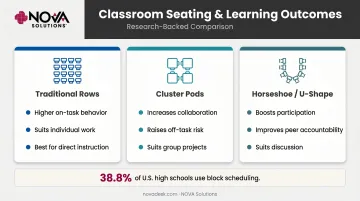
Most high school classrooms use one arrangement all year. That's a missed opportunity. Even one intentional shift — rows for direct instruction, clusters for project work — can cut off-task behavior and sharpen student focus.
11 Smart Student Desk Layouts for High School Classrooms
Layout 1: Traditional Rows
All desks face the board in straight or slightly angled rows. Simple, familiar, and consistently effective for specific purposes.
Best for: Direct instruction, independent work, test-taking
The Wannarka & Ruhl review found that students — particularly those prone to distraction — display higher levels of appropriate behavior during individual tasks when seated in rows. The Vanderbilt IRIS Center confirms rows as the go-to for teacher-directed activities where the primary relationship is student-to-board, not student-to-student.
High school tip: Use rows as your "home base." Assign seats strategically — place students who need additional support near the front, and separate frequent conversation partners. After collaborative activities, returning to rows signals a clear mode shift without needing to say much.
Layout 2: Horseshoe (U-Shape)
Desks arranged in a U with the open end facing the board. Every student has a sightline to the teacher and to peers — which changes the conversation dynamic entirely.
Best for: Class discussions, Q&A, Socratic-style questioning, demonstrations
The IRIS Center recommends U-shaped arrangements for whole-class discussions because students can see each other, which increases participation and peer accountability. Their guidance notes this works best with 20 or fewer students — for larger classes, consider multiple smaller U-shapes of five or six students.
High school tip: Teachers can circulate inside the U to reach any student without disrupting the group. That positioning advantage — being physically close to every student — is harder to achieve in rows or clusters.
Layout 3: Cluster Pods
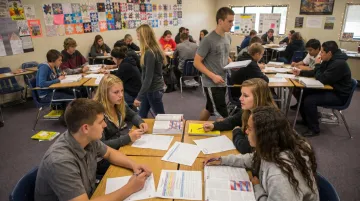
Groups of 4–6 desks pushed together into islands. Students face each other naturally, without twisting awkwardly from row seats.
Best for: Project-based learning, peer review, group problem-solving
IRIS identifies clusters as particularly effective for group discussions and collaborative tasks because they facilitate natural peer interaction. The tradeoff is real, though: Wannarka & Ruhl's review notes that group seating can increase off-task behavior, since students are physically closer to social distractions.
High school tip: Establish clear transition cues — a verbal signal or a slide change — so students know when to shift from group mode back to direct instruction. Proximity management matters here; circulating between pods keeps devices off desks and conversations on-task.
Layout 4: Jigsaw Groups
Students start in "home groups," move to "expert groups" to master a subtopic, then return home to teach peers. It requires open floor space and desks that move easily.
Best for: Complex content — history units, literature analysis, science processes, anything with distinct subtopics
A 2023 meta-analysis of 69 jigsaw studies found that effects vary considerably across contexts. Task complexity, student diversity, and cognitive load all influence outcomes. It's not a guaranteed win, but for the right content it builds accountability and depth that lecture can't replicate.
High school tip: Brief students on the two-phase structure before starting — a simple slide showing "expert group → home group" prevents confusion and lost time. This layout demands cognitive effort, so it's better suited to classes that have already practiced group transitions.
Layout 5: L-Shaped Clusters
Desks arranged in an L so students can face both the board and each other. A hybrid that reduces the need to physically rearrange between activities.
Best for: Science and math classes that alternate between direct instruction and collaborative problem-solving
The real advantage is teacher positioning: standing at the elbow of the L, you can address all students evenly. In standard cluster pods, someone always has their back to the board. The L eliminates that.
High school tip: Works particularly well in narrower classrooms where a full horseshoe won't fit. Pair it with a whiteboard on the adjacent wall so the L's orientation gives all students a visible work surface.
Layout 6: Socratic Circle
An inner circle of desks for active discussants, with an outer ring for observers who take notes and give structured feedback.
Best for: High school English, history, and social studies — complex texts, ethical debates, primary source analysis
Research from Polite & Adams on Socratic seminar use at the secondary level found that the format promoted higher-order thinking and enhanced student interest in learning. The structured inner/outer ring format creates accountability for both active participants and observers.
High school tip: Add a "hot seat" — an open chair in the inner circle that outer-ring students can occupy when they want to join. It keeps passive observers engaged rather than zoning out. Rotate roles so the same students aren't always on the outside.
Layout 7: Flexible Seating
A mix of options — standard desks, standing positions, wobble stools, soft chairs — giving students agency over where they work based on the task.
Best for: Block periods, student-centered units, classes with varied task types within a single session
Research from grades 7–9 found that flexible learning environments were associated with significantly more student collaboration and behavioral engagement compared to traditional classrooms. The key caveat: those results held when expectations were clear.
High school tip: Set the rules on day one. Students who can't work productively in their chosen spot get moved — no debate. The autonomy is motivating; the accountability is what makes it sustainable.
Layout 8: Technology Stations
Desks or workstations arranged so screens are at least partially visible to the teacher — typically along the back wall or perpendicular to the teacher's sightline.
Best for: Computer-based coursework, research days, coding, digital assessments
Research by Sana, Weston & Cepeda found that students seated next to screen-browsing peers scored 17% lower on comprehension tests than students not exposed to the off-task screens. That study used college students, but the cognitive distraction mechanism doesn't disappear at age 16.
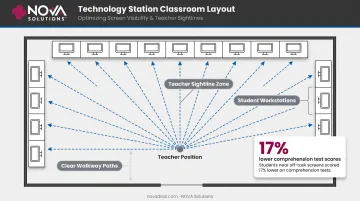
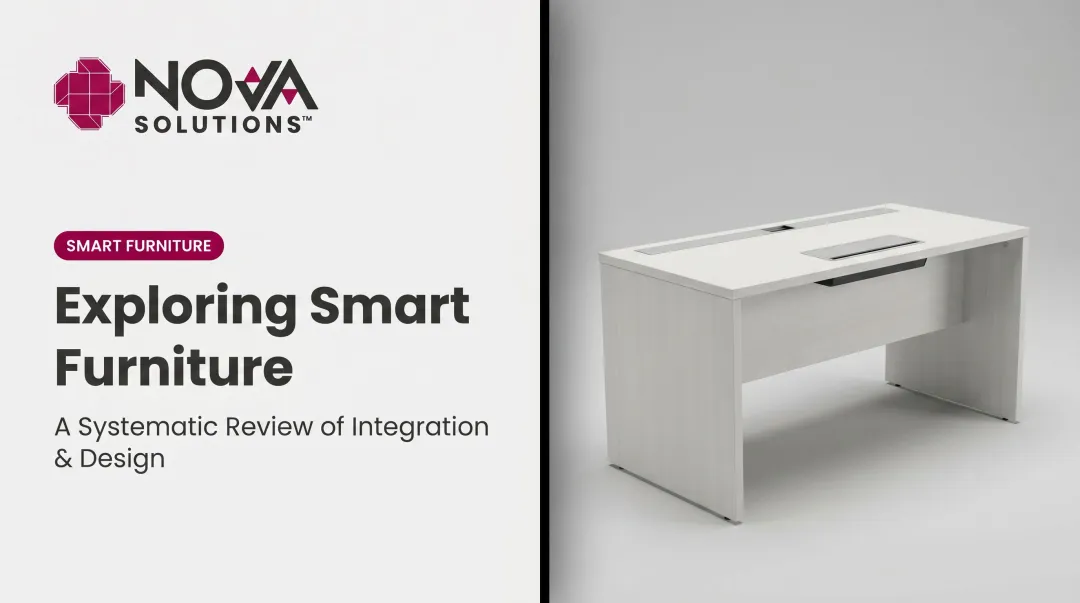
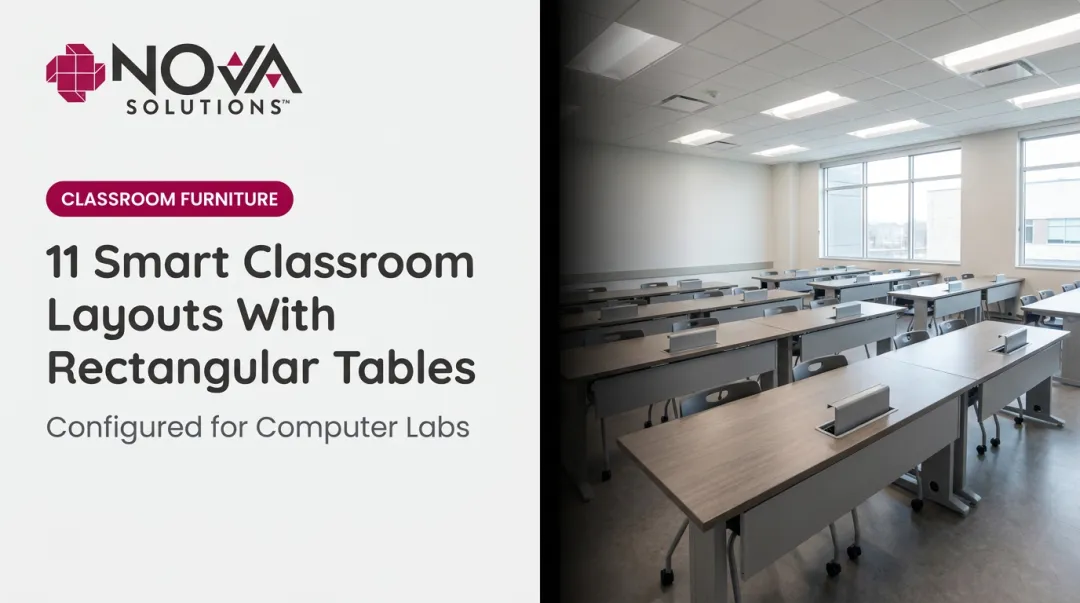
High school tip: Screen visibility is the priority — arrange so you can see monitors from your primary teaching position. For schools with laptops or desktops, NOVA Solutions' Computer Training Desks include the iMod™ wire management system, which routes cables through a rear compartment with a removable modesty panel. It keeps cords contained and walkways clear — a practical consideration in any tech-station layout.
Layout 9: Kinesthetic Seats
Incorporates movement-supportive options — standing desks, balance ball chairs, wobble stools — into the regular classroom alongside standard seating.
Best for: Long block periods where sustained sitting becomes a focus problem
Research on stability balls with elementary-age students found increases in on-task behavior and reductions in hyperactivity. Standing desk studies show reductions in sitting time of roughly 59–64 minutes per day in school settings. Most of this research is elementary-based, so the high school application is a reasonable inference rather than a direct finding.
High school tip: Introduce one new kinesthetic option per year rather than overhauling the room. Set specific behavior expectations for each type — feet flat on the floor for ball chairs, for example. The equipment should support focus, not compete with it.
Layout 10: Conference/Banquet Style
Two long rows of desks facing each other, like a conference table setup. Opposing sides create visible, structured representation of different perspectives.
Best for: Formal debates, structured argumentation, civics, any lesson built around opposing evidence
The layout sends a clear signal about the nature of the activity — this isn't open discussion, it's structured exchange. Students on each side have a shared identity and a clear audience across from them, which sharpens argument quality.
High school tip: Before the first session, brief students on debate etiquette — speaking order, signal norms, and time limits. The format only works when everyone knows the rules going in.
Layout 11: Learning Zones
The classroom is divided into distinct functional areas — a direct instruction zone, a collaborative work area, an independent research station, and optionally a tech corner. Each zone has its own furniture configuration and purpose.
Best for: Block scheduling, project-based units, differentiated instruction across a single period
AIR's station-rotation research describes this approach as organizing students to rotate among modalities — computer-based work, group projects, one-on-one instruction, or independent tasks. Their descriptive study found positive teacher and principal perceptions of the model, though it should be treated as implementation evidence rather than proof of achievement gains alone.
High school tip: Even small rooms can host two or three zones if furniture is mobile and walls are used strategically — a whiteboard wall doubles as a zone anchor.
For schools that reconfigure frequently, NOVA Solutions' Multi-Purpose Nesting Tables stack horizontally for compact storage, roll on casters, and pull into different zone arrangements in minutes — without requiring a full room reset between classes.
How to Choose the Right Layout for Your Classroom
No layout is universally best. The right choice depends on three things: the nature of the lesson, the physical constraints of the room, and the behavioral dynamics of the class.
Quick decision framework:
| Goal | Best Layout(s) |
|---|---|
| Direct instruction / lecture | Rows, Horseshoe |
| Individual focus / testing | Rows |
| Group projects / peer work | Cluster Pods, Jigsaw |
| Whole-class discussion | Horseshoe, Socratic Circle |
| Structured debate | Conference Style |
| Long block / varied activities | Learning Zones, Flexible Seating |
| Tech-heavy lessons | Technology Stations |
Accessibility Is Non-Negotiable
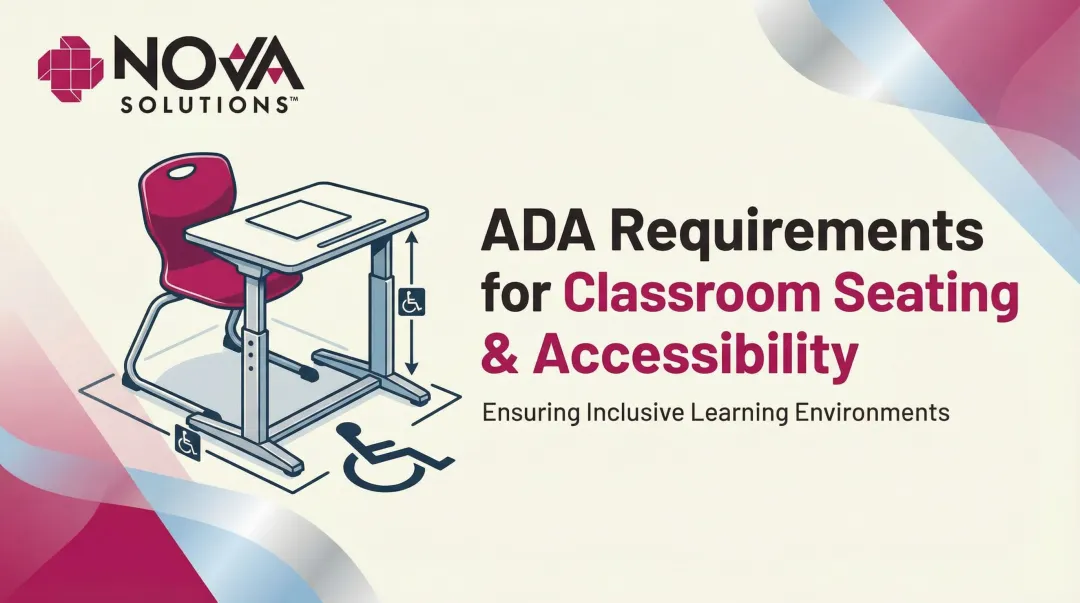
Every layout must maintain ADA-compliant clearance. The U.S. Access Board specifies three baseline requirements for accessible classroom spaces:
- Accessible routes with a minimum 36-inch continuous clear width
- Wheelchair turning space of a 60-inch diameter circle
- Work surfaces between 28 and 34 inches in height
NOVA Solutions' Computer Training Desks and Collaboration Tables are built to 32-inch ADA-compliant heights, making it straightforward to maintain compliance across multiple configurations without separate setups for individual students.
Pick 2–3 Signature Layouts
Don't attempt all 11. Choose 2–3 configurations your class rotates between regularly. Consistency builds student familiarity with transitions, which turns a potential 5-minute disruption into a 60-second routine.
Making Layout Transitions Smooth During Class
The biggest practical barrier to using multiple layouts is transition time. Routines solve this.
Steps to make transitions fast:
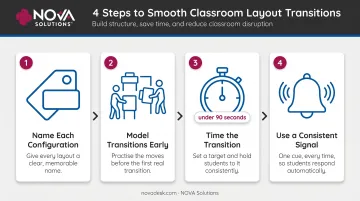
- Name each configuration — "quad mode," "horseshoe," "rows." Named layouts become habits faster than described layouts
- Model transitions at the start of the year — physically show students where each desk goes before the first academic lesson
- Time it — challenge students to reconfigure in under 90 seconds. Most classes get there within two weeks
- Use a consistent signal — a specific phrase or slide transition cues the move without eating into instruction time
Furniture mobility is what makes these routines actually work. NOVA Solutions' mobile training tables are built with casters and compact profiles so students can reposition them without staff help — the kind of low-effort mobility that keeps a 90-second transition realistic. Heavy, fixed furniture makes even well-planned routines chaotic.
Frequently Asked Questions
How do you arrange high school desks?
The best arrangement depends on the lesson. Use rows for instruction and testing, clusters for group work, and horseshoe or Socratic circles for discussion. High school teachers benefit most from mastering 2–3 flexible configurations they can rotate within a single class period rather than committing to one arrangement all year.
What are the five most common classroom arrangement styles?
The five most common styles are traditional rows, U-shape/horseshoe, cluster pods, Socratic/circle, and flexible mixed seating. Each serves a distinct purpose:
- Rows — direct instruction and independent work
- Horseshoe — whole-class discussion with teacher visibility
- Clusters — small-group collaboration
- Socratic/circle — seminar-style peer-led conversation
- Flexible seating — student-driven, varied-task environments
What is the most effective seating arrangement for a classroom?
Research consistently shows no single arrangement outperforms all others. Rows reduce distraction during individual work; horseshoe and cluster layouts support discussion and collaboration. The most effective classrooms rotate arrangements to match the activity rather than staying fixed year-round.
What is the best seating arrangement for disruptive students?
Traditional rows work best for managing disruptive behavior. They limit peer interaction, give teachers clear sightlines, and allow strategic seating — placing disruptive students near the front and away from preferred social partners reduces off-task behavior without constant intervention.
How often should classroom seating arrangements be changed?
Every 4–6 weeks is a solid baseline — enough to refresh peer dynamics while preserving routine. Major layout shifts (rows to clusters) can happen more often when a specific lesson type calls for it.
What desk layout works best for technology integration in high school?
Technology station layouts — where screens are at least partially visible to the teacher — work best for computer-heavy lessons. Desks with integrated wire management and accessible power, like NOVA Solutions' Computer Training Desks with the iMod™ system, reduce setup friction so class time stays focused on instruction.